Scanning a campground you've never been to: narrowing by elimination
At a campground you've never visited you don't know which sites to want. Scan wide, use each cart hold to look one site up, and rule out what doesn't fit.
The filters post ended with a match count: set the filters, watch the number, save the scan when it looks like a set of sites you'd be happy with. That works when you know the campground. This post starts where that number is useless.
You've never been here. "Electric, 30 feet, D Loop" is a guess, because you don't know whether D Loop is the quiet end or the one by the dump station. You certainly don't know which sites in it are worth having. You can only scan for what you know to ask for, and every scanner, ours included, is only as good as the question it's given.
There is a way to pick a campsite you've never seen that works without local knowledge. It runs on a different resource than the scan: the minutes a cart hold gives you after a site opens.
Start wide on purpose
At an unfamiliar campground the right first scan is deliberately loose. Set only the constraints you're sure of, and leave the rest open.
"Sure of" means facts about your rig: the length it actually needs, the hookups you can't camp without. Those don't change between campgrounds. Everything else (the loop, the specific site numbers, whether waterfront is worth paying for) is a fact about the park, and you don't have those facts yet. A filter you can't justify doesn't fail loudly. It quietly drops sites you might have loved, and you never find out. The filters post called over-filtering a silent failure, and at a campground you've never seen, every filter beyond your rig is a candidate for it.
So expect the first few alerts to be wrong. That isn't the scan misbehaving. A wide scan is supposed to offer you sites you'll turn down, because turning them down is how you learn the campground.
What the hold is for
A cart hold is a research window. That's the whole reason it matters here.
Recreation.gov is explicit about what a cart hold is: "Once you click Add to Cart, the campsite(s) and date(s) you selected are locked in your cart for 15 minutes to give you time to complete your reservation"1. zenCamp claims that window on your behalf the moment a matching site appears, then extends it a single time, which works out to roughly 30 minutes on both Recreation.gov and ReserveAmerica. It's one extension, not an open-ended hold; when it ends, the site goes back to the pool.
Compare that with an alert. An alert gives you seconds: a site number on a lock screen, and a race against everyone else who got the same message. There is no time to find a photo of site B14, let alone judge it. So an alert forces a blind yes or no, and at a campground you've never visited, a blind yes is how you end up next to the restroom for three nights.
Thirty minutes doesn't make you an expert on the campground. It makes a considered no affordable. That's the difference the rest of this post is built on.
The 30-minute checklist
Fastest signal first. None of these tools are ours, and none of them need to be.
- The platform's own site page. Open the site on Recreation.gov or ReserveAmerica. Look for photos (if there are any), the driveway length and surface, shade, and where the site sits on the campground map. This is the fastest minute you'll spend, and for many campgrounds it settles the question.
- Third-party site photos. CampsitePhotos.com (opens in a new tab) offers what it describes as photos of "each campsite in thousands of campgrounds throughout the USA"2, browsable by site number. The Dyrt (opens in a new tab) and Campendium (opens in a new tab) carry camper reviews that often name specific sites, which is exactly the local knowledge you're missing. We have no affiliation with any of them.
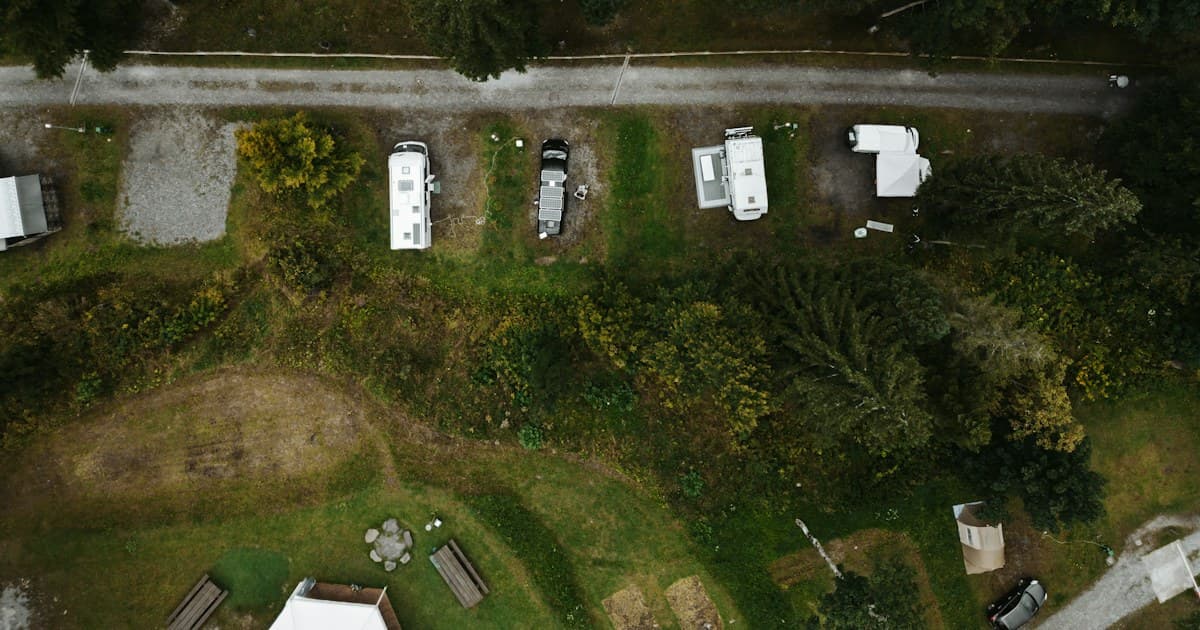
- A satellite view. Google Maps or Apple Maps in satellite mode. Photos hide what a map shows: the distance to the restroom, how close the loop road runs, whether the neighboring pad is on top of yours, how far it is to the water. Two minutes over an aerial view answers the questions a ground-level photo is framed to avoid.
- Decide. Yes, and you complete the checkout yourself. No, and you tell the scan why; that's the next section.
What to skip: reviews of the campground as a whole. You've already decided you want to be here; the only question the hold is asking is whether this site is the one.
Rule it out so it stays ruled out
When the answer is no, say so where the scan can hear it.
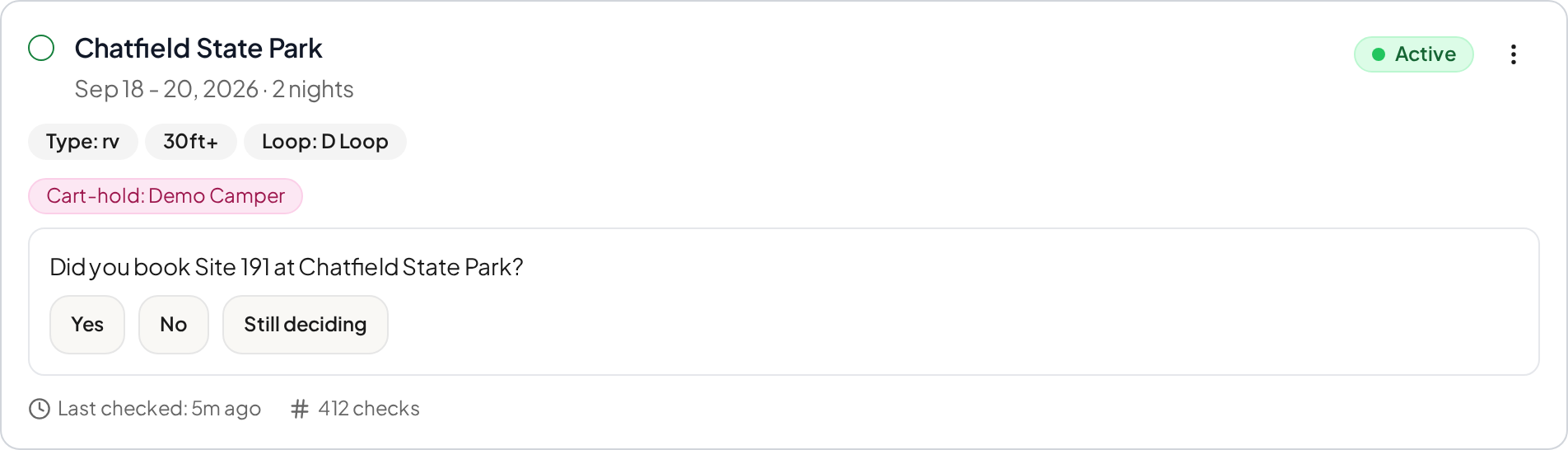
After you act on a hold, zenCamp asks whether you booked the site. The question appears on the scan card and in the scan's event history, with three answers: Yes, No, or Still deciding.
 Full size(opens in a new tab)
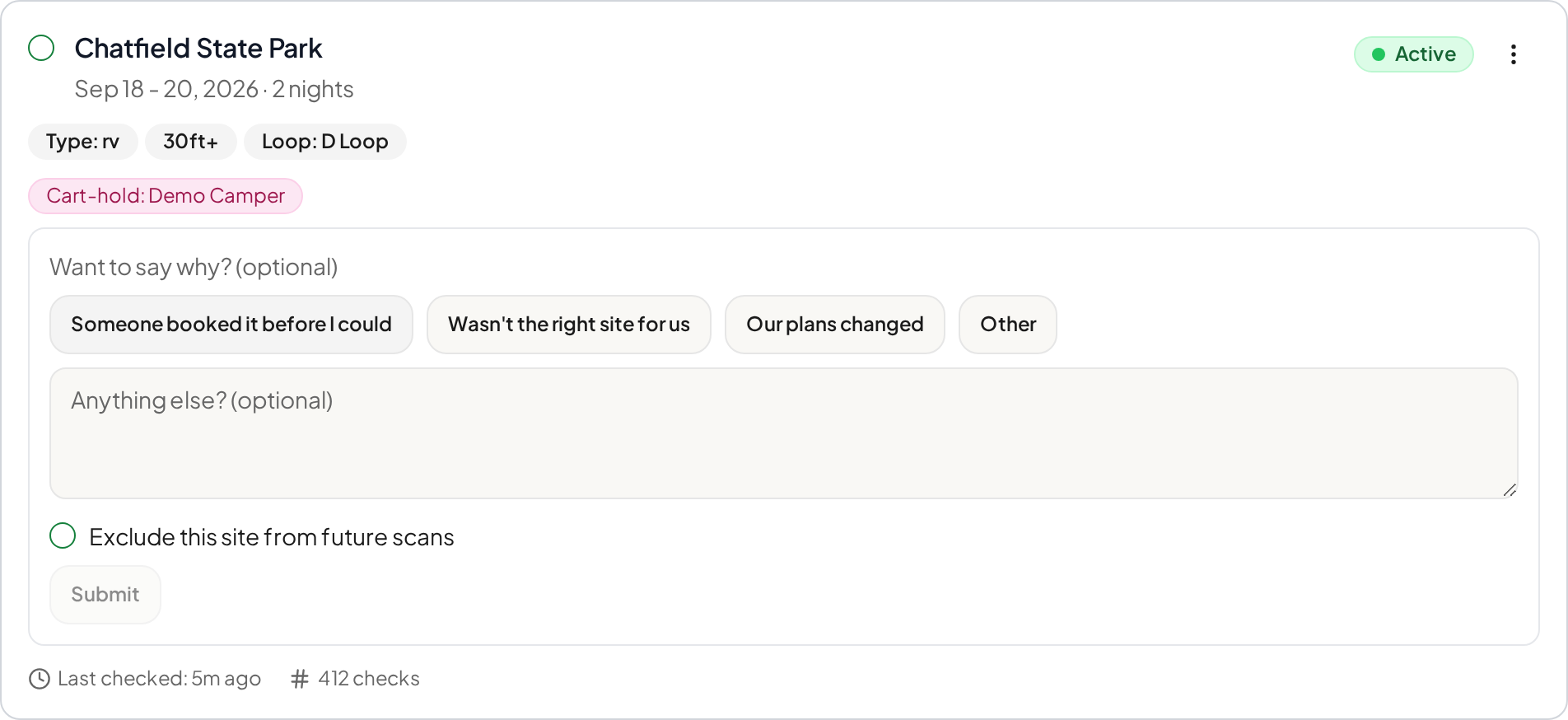
No opens a second, optional step. (Still deciding records that answer and closes the prompt; it doesn't open the step.) The step has three parts, and you can use any of them or none: a reason (Someone booked it before I could, Wasn't the right site for us, Our plans changed, Other), a free-text note, and a toggle labeled Exclude this site from future scans.
 Full size(opens in a new tab)
Three properties of that toggle are worth being precise about, because each one is a deliberate choice.
Exclusion is opt-in. Declining a site does not exclude it. The toggle defaults to unchecked and sits after the reason and the note, so ruling a site out is something you choose after saying why, not a default you have to undo. It isn't automatic because most of the reasons for a no aren't verdicts on the site. "Someone booked it before I could" and "Our plans changed" say nothing about whether site 191 is any good.
Exclusion is permanent and campground-wide. Once you exclude a site it stays excluded at that campground for every scan you run there, including scans you create later. It is not scoped to the scan that alerted you. That is the surprising one, and it's the useful one: if you're running the same campground every weekend, a site ruled out for the 18th is ruled out for the 25th and for November, without touching the other ten scans.
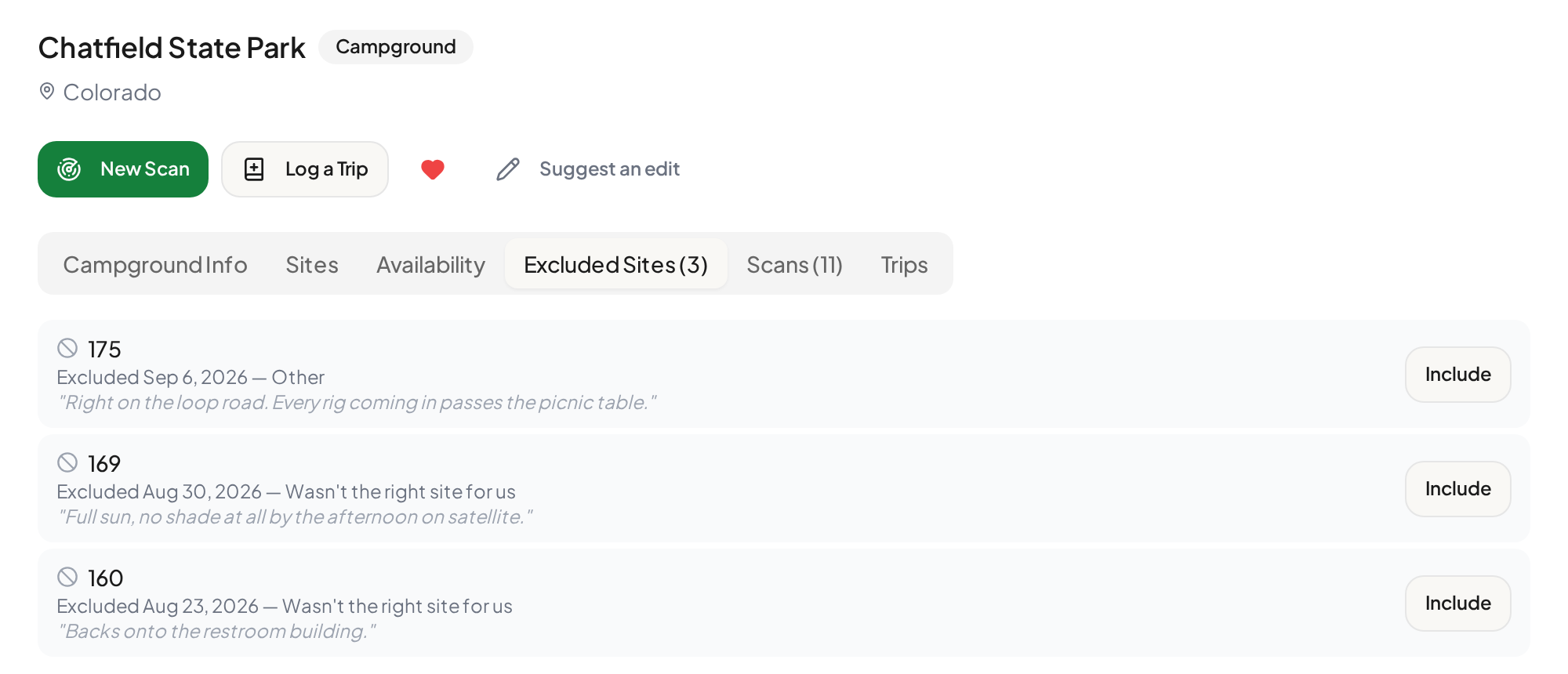
Exclusion is reversible. Every campground page has an Excluded Sites tab listing what you've ruled out, with the reason you gave, and an Include button that puts a site back in one click.
You can also exclude a site without ever having held it. Any site page or event card offers the same reason-and-note exclusion directly, for sites you've already ruled out by other means.
One design decision behind all this is worth saying out loud. We ask why because two different failures look identical from the outside: both are a hold that didn't turn into a booking. "Someone booked it before I could" is a speed problem. "Wasn't the right site for us" is a targeting problem. They call for opposite fixes, and only the person holding the phone can tell them apart. That's also why a no that means "beaten to it" doesn't exclude anything: you'd take that site next time, so it belongs in the scan.
What the scan looks like after a few weekends
The scan hasn't learned what you like. It has stopped asking about what you don't. That is a narrower claim than "it learns your preferences," and it's the true one.
 Full size(opens in a new tab)
Read a list like that as a trip report on sites you'll never see. Three exclusions, three reasons, and every scan at this campground now skips them. Nothing on it needs local knowledge in advance: each of those notes is the kind of thing a site photo or a satellite view tells you inside the hold.
What it doesn't do, and won't pretend to: zenCamp does not rank sites. Ordering the sites you do want, so a scan matching several fires on your first choice rather than whichever opens first, is planned and not yet available. Today, exclusion answers "not this one." Nothing yet answers "this one first."
Where this doesn't work
Two honest limits.
Campgrounds with thin site data. Step one of the checklist assumes the platform publishes something about the site. Some don't: the filters post's example was Pawnee, where Recreation.gov lists 45 sites and no hookup information for any of them. There, the platform page tells you little, and steps two and three carry the weight.
When every site is fine. If you'd happily take any of five sites and just want the best one, elimination is the wrong tool. That's the ranking problem from the previous section, and it isn't built.
The loop, in one breath
Start wide, because you don't know enough to be narrow. Use the hold to look one site up; that's what the minutes are for. When the answer is no, say why, and if the site itself was the problem, rule it out. The scan gets narrower because you told it what to drop, not because it guessed what you wanted.
Sources
-
Recreation.gov, "Tips for making campsite reservations at popular locations" (opens in a new tab), retrieved September 13, 2026. ↩
-
CampsitePhotos.com (opens in a new tab), retrieved September 13, 2026. ↩